
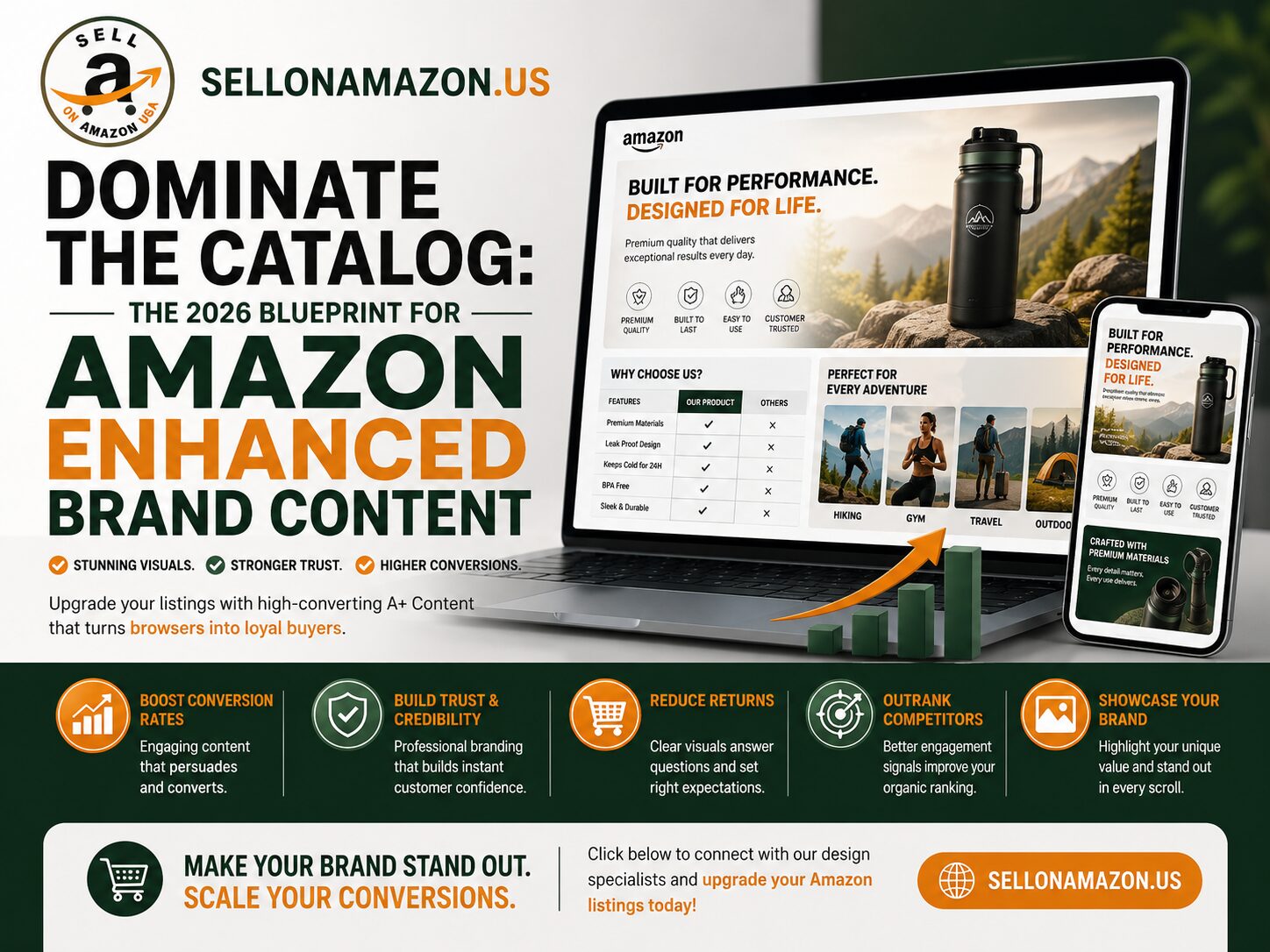
In the early days of Amazon, a seller could dominate a product category with a clever title, a white-background hero image, and a few bullet points stuffed with high-volume keywords. In 2026, relying on that outdated playbook is a guaranteed way to bleed market share. The Amazon marketplace has evolved into a highly visual, brand-first shopping destination, and consumer patience for reading massive walls of plain text has completely vanished.
If your product detail page looks like a 1990s instruction manual, you are actively driving traffic into the arms of your competitors. To justify premium pricing, stop the mobile scroll, and build genuine trust with a skeptical buyer, you must upgrade your digital merchandising. You must leverage the psychological power of Amazon enhanced brand content.
At Sell On Amazon, we have audited thousands of product listings and managed millions in ad spend. The data is definitive: driving expensive PPC traffic to a generic, unoptimized listing is financial suicide. Here is our comprehensive, data-driven deep dive into how elite sellers are utilizing rich media in 2026 to drastically lower their customer acquisition costs and build category-dominating brands.
What Exactly is Amazon enhanced brand content?
For sellers who have been on the platform for years, the terminology can sometimes be confusing. Originally launched as “Enhanced Brand Content” (EBC) for Seller Central users, Amazon eventually unified this feature with Vendor Central and officially rebranded the entire ecosystem as “A+ Content”. However, across the industry, top sellers, agencies, and brand managers still frequently use the terms interchangeably.
At its core, Amazon enhanced brand content replaces the standard, plain-text product description with a visually immersive, customizable layout. Instead of hoping a customer reads a block of text, you are granted the ability to inject custom graphic design modules directly into the middle of your listing.
Depending on your eligibility, this real estate allows you to deploy high-resolution lifestyle photography, interactive comparison charts, embedded videos, dynamic carousels, and detailed feature callouts. It transforms a sterile retail page into a localized, highly persuasive landing page.
The Undeniable ROI: Why You Must Upgrade in 2026
Treating rich media as an “optional” aesthetic upgrade is a critical strategic error. Upgrading your listings fundamentally alters the mathematics of your entire Amazon business.
1. The Mobile-First Consumer Shift
As of 2026, over 70% of Amazon traffic originates from mobile devices. On a smartphone screen, standard bullet points are often truncated or buried behind a “read more” expansion tab. However, your enhanced modules take up massive vertical screen real estate. When designed correctly, a mobile-optimized layout visually answers the buyer’s most pressing questions without requiring them to open a new page or click away.
2. Algorithmic Conversions and Organic Rank
While Amazon explicitly states that the text within your enhanced modules is not directly indexed by the traditional A9 search algorithm, the secondary effects are massive. According to Amazon’s own internal data, implementing a basic A+ layout increases overall sales conversions by up to 8%, while Premium A+ can drive an average 20.2% boost in overall sales versus similar products without it.
Because Amazon’s search algorithm heavily rewards listings with high conversion rates and strong sales velocity, adding high-quality visuals indirectly pushes your product higher up page one for your most critical keywords.
3. Feeding the AI Shopping Assistants
With the rollout of Amazon’s AI shopping assistant, Rufus, your enhanced modules serve a brand new purpose. In 2026, A+ Content acts as a critical knowledge base for Rufus, allowing the AI assistant to synthesize information and power advanced product recommendations based on your layout. By utilizing Q&A modules and structured feature breakdowns, you are feeding the AI the exact, accurate data it needs to confidently recommend your product to a searching buyer.
4. Eradicating Buyer Hesitation and Returns
A high return rate will destroy your profit margins and eventually lead to a listing suppression. Amazon enhanced brand content allows you to proactively handle customer objections before they even scroll down to the review section. By clearly visualizing the product’s true dimensions, explaining complex installation steps, and showcasing what is specifically included in the box, you set highly accurate expectations, drastically lowering your return rate.
Basic vs. Premium: Understanding the Tiers
In 2026, the enhanced content ecosystem is divided into two distinct tiers, each with its own set of capabilities and eligibility requirements.
The Basic Tier
Available to all sellers enrolled in the Amazon Brand Registry, the basic tier allows you to select up to seven standard modules per ASIN. This includes standard image banners, side-by-side text and image blocks, and basic static comparison charts. It is highly effective for transitioning away from plain text and establishing a professional brand presence.
The Premium Tier (A++ Content)
This is the absolute gold standard of Amazon merchandising. Premium A+ unlocks highly interactive modules that mimic a direct-to-consumer website experience.
- Video Integration: Embed high-definition product demonstration videos directly into the description flow.
- Interactive Hotspots: Upload a lifestyle image with clickable hover-points that reveal technical specs about specific parts of the product.
- Shoppable Carousels: Allow customers to swipe through a gallery of related products and click links directly to other items in your brand store.
Eligibility Note: To unlock Premium access in 2026, you must already have a published “Brand Story” module active on all of your catalog’s ASINs, and you must have a history of five or more approved A+ projects over the last 12 months.
The Architecture of a High-Converting Layout
You cannot simply upload a random assortment of photos and expect your conversion rate to skyrocket. An elite Amazon enhanced brand content layout is engineered to guide the shopper through a specific psychological journey. Here is the blueprint our agency utilizes to maximize conversions:
Module 1: The Aspirational Hook
Your very first module should be a massive, full-width lifestyle image. Do not just show the product sitting on a white table. Show the outcome of the product. If you sell a premium hiking backpack, the first image must be a high-definition shot of a hiker standing on a breathtaking summit, wearing your gear. You must instantly validate the buyer’s aspirational identity.
Modules 2 & 3: The Feature-to-Benefit Translation
Consumers do not care about proprietary technology or obscure manufacturing specs; they care about how those specs make their lives easier. Use side-by-side modules to translate features into benefits. If your blender has a “1200W Copper Motor” (the feature), your headline should read “Crush Ice into Snow in Under 10 Seconds” (the benefit).
Module 4: The Objection Crusher
Analyze your competitor’s one-star reviews or customer service emails to find out what buyers hate about similar products. If buyers constantly complain that competitor travel mugs leak in their bags, dedicate a specific module to visually demonstrating your proprietary, spill-proof locking lid. Answer the objection before the customer even has to ask.
Module 5: The Shoppable Comparison Matrix
Never let a customer leave your page to find a different size or variation. Use the comparison chart module to cross-sell your entire catalog. Compare your entry-level model to your premium model, clearly outlining the upgraded features. This keeps the customer trapped inside your brand’s ecosystem, significantly raising your Average Order Value (AOV).
Crucial 2026 Best Practices and Compliance Traps
Amazon employs strict compliance bots that will instantly reject your content if you violate their terms of service. To ensure your designs are approved immediately, adhere to these strict guardrails:
- Banish Promotional Language: Do not use promotional language, pricing details, or time-sensitive claims. Amazon restricts any language that implies a time-sensitive promotion, unverified guarantees, or quotes from external sources.
- Mobile-First Design Validation: 70% of your buyers will never see the desktop version of your design. If you put tiny, paragraph-length text inside a graphic image, it will be completely illegible on a smartphone. Always use Amazon’s mobile preview tool before hitting submit. If the text requires zooming in to read, delete it and use a larger font.
- Maximize Image ALT Text: While the text inside your EBC modules isn’t traditionally indexed by Amazon, the ALT text attached to your images is indexed by external search engines like Google. Furthermore, it assists visually impaired shoppers. Use this space to naturally weave in secondary keywords, describing exactly what the image shows.
- No Off-Platform Redirects: Never include your company website URL, customer service email, or social media handles. Attempting to direct traffic off Amazon or use QR codes is a severe violation that will result in immediate rejection.
Conclusion: Stop Subsidizing Your Competitors
Traffic on Amazon is too expensive to waste on a subpar landing page. Every time a customer clicks your sponsored ad, looks at your plain-text description, and bounces to a competitor with a visually stunning presentation, you are quite literally paying for your competitor’s success.
Implementing professional Amazon enhanced brand content is the ultimate defensive moat. It validates premium pricing, elevates your brand authority, and permanently lowers your customer acquisition costs by squeezing maximum value out of every single click.
Are you ready to stop losing sales to inferior products with better graphic design? Connect with the listing optimization experts at Sell On Amazon. Let our team of copywriters, designers, and e-commerce strategists overhaul your catalog and build the high-converting digital storefront your brand deserves.
Frequently Asked Questions (FAQs)
Q: Do I have to pay Amazon extra fees to use enhanced brand content?
No. As long as your brand is officially enrolled and approved in the Amazon Brand Registry, the basic A+ Content manager is completely free to use. Premium A+ Content is also currently available at no additional cost for basic usage, provided you meet Amazon’s strict eligibility criteria regarding Brand Story publication and previous module approvals.
Q: Can I use enhanced content if I am a reseller of another company’s brand?
Generally, no, unless you are granted explicit permission. A+ Content is a tool reserved specifically for the registered Brand Owner. If you are an authorized reseller, you cannot modify the enhanced content unless the official rights owner assigns you the “Brand Representative” or “Reseller” role within the brand registry portal.
Q: Does adding EBC immediately boost my organic keyword ranking?
Not directly. The text within your modules is not indexed by Amazon’s A9 search algorithm in the same way your title or backend search terms are. However, it indirectly boosts your rank. Better content leads to a higher conversion rate and increased sales velocity, which are the primary metrics Amazon uses to push listings to page one.
Q: How long does it take for Amazon to approve my content after I submit it?
Once you submit your design in the A+ Content Manager, it can take up to seven business days for the automated systems and manual reviewers to approve your content. If rejected, Amazon will provide a specific reason (e.g., promotional language, forbidden medical claims), allowing you to edit and resubmit.
Q: Should I use text overlays on my images or use Amazon’s standard text boxes?
You should use a hybrid approach, but heavily favor brevity. While embedding text directly into an image allows for beautiful, custom typography, nobody is reading massive paragraphs in A+ Content. If you have more than three or four sentences in a module, you have lost the buyer’s attention. Use Amazon’s native text boxes for essential descriptions and use embedded text sparingly for bold, high-contrast headlines.